Getting Started with the JavaScript Version of the GreenSock Animation Platform (GSAP)
Quick links:
- Introduction
- Loading the file(s)
- Basic tweening
- Special properties
- Easing
- Plugins
- Tweening CSS properties
- Controlling tweens
- Sequencing and grouping tweens with TimelineLite
- Stepping up to TweenMax and TimelineMax
- Overwriting other tweens
- FAQ
Note: this document applies to version 1.9.0 or later of TweenLite (and TweenMax). Please make sure you update your files if you’re using an older version.
Jump Start
|
|
If you haven’t done so already, please check out the Jump Start for GSAP JS – it visually demonstrates the basics of the API and gets you up and running fast. The interactive slides make it easy (or dare we say it…”fun!”). Then, if you’re still hungry for more, circle back here because this page goes into a bit more detail. The Jump Start is the best place to begin learning. |
Introduction
Animating with code may seem intimidating at first, but don’t worry – the GreenSock Animation Platform (GSAP) was engineered to make it simple and intuitive. The platform is also highly optimized for performance and unprecedented flexibility. Hang in there through the learning curve and you’ll be glad you did. For now, we’ll focus on getting you up and running with the core engine, TweenLite. Then we’ll discuss if (and when) you might want to put the other tools to work (like TweenMax, TimelineLite, TimelineMax, etc.). If you’ve used the Flash version of the platform, you should notice that the syntax is identical (although you’ll definitely want to read up on the CSSPlugin and check out the FAQ section below).
What exactly is GSAP?
The GreenSock Animation Platform is a suite of tools for scripted animation. It includes:
- TweenLite: the core of the engine which handles animating just about any property of any object. It is relatively lightweight yet full-featured and can be expanded using optional plugins (like CSSPlugin for animating DOM element styles in the browser, or ScrollToPlugin scrolling to a specific location on a page or div, etc.)
- TweenMax: TweenLite’s beefy big brother; it does everything TweenLite can do plus non-essentials like repeat, yoyo, repeatDelay, etc. It includes many common plugins too like CSSPlugin so that you don’t need to load as many files. The focus is on being full-featured rather than lightweight.
- TimelineLite: a powerful, lightweight sequencing tool that acts like a container for tweens, making it simple to control them as a whole and precisely manage their timing in relation to each other. You can even nest timelines inside other timelines as deeply as you want. This allows you to modularize your animation workflow easily.
- TimelineMax: extends TimelineLite, offering exactly the same functionality plus useful (but non-essential) features like repeat, repeatDelay, yoyo, currentLabel(), and many more. Again, just like TweenMax does for TweenLite, TimelineMax aims to be the ultimate full-featured tool rather than lightweight.
- Extras like easing tools, plugins, and more
Loading the GSAP files
Check out the download screen where you can download a zip containing minified and uncompressed files, or you can just paste a CDN link right into your page. The simplest way to get a bunch of goodies is to link to the latest TweenMax CDN file.
<script src="http://cdnjs.cloudflare.com/ajax/libs/gsap/latest/TweenMax.min.js"></script>
Since TweenMax includes TweenLite, CSSPlugin, EasePack, TimelineLite, TimelineMax, RoundPropsPlugin, BezierPlugin, AttrPlugin, and DirectionalRotationPlugin, this one file gives you tons of goodies to play with and the CDN should help things load very quickly. If, however, you’re more concerned about file size, you can pick and choose which core components and plugins to load (a common lightweight choice is TweenLite, CSSPlugin, and EasePack). For example:
<script src="http://cdnjs.cloudflare.com/ajax/libs/gsap/latest/plugins/CSSPlugin.min.js"></script> <script src="http://cdnjs.cloudflare.com/ajax/libs/gsap/latest/easing/EasePack.min.js"></script> <script src="http://cdnjs.cloudflare.com/ajax/libs/gsap/latest/TweenLite.min.js"></script>
Notice that we’re linking to the “latest” version of these files, which means that as new versions come out you should automatically get those updates. Typically that’s a GOOD thing especially when bugs were discovered and squashed, but beware that there’s a chance that an update could potentially change behavior (either because of an inadvertent consequence of updated code in the engine or intentional feature/API changes), so you can link to specific versions in the CDN (like 1.9.0) if you prefer (see the download screen for details). Don’t worry – we’re VERY cautious about making changes that could affect legacy code. Sign up for a GreenSock account to join the mailing list and get notifications about important updates that could affect your code.
Of course you don’t need to use CDN links at all. If you download the zip, look inside the “src” folder and you’ll see “minified” and “uncompressed” folders with all the source code – feel free to drop those onto your server or local file system. You’ll typically want to use the minified files for deployment because they’ll load faster but functionally everything is identical between the uncompressed and minified versions. The “uncompressed” files are included just in case you want to crack open the source and see what’s happening in there (they contain comments and more human-readable code). You can also check out our Github repository.
If you don’t need to animate DOM element styles, you don’t need CSSPlugin. You can, for example, just use the very lightweight TweenLite to animate EaselJS objects on a canvas or RaphaelJS objects for SVG. And if you don’t need special easing equations beyond the standard ones (Power0, Power1, Power2, Power3, Power4, Linear, Quad, Cubic, Quart, Quint, and Strong are all included inside the TweenLite file), you can skip EasePack which adds Elastic, SlowMo, Bounce, SteppedEase, Sine, Circ, and Expo.
Don’t forget to load the JavaScript file(s) BEFORE any of your animation code (otherwise when the browser gets to your animation code, it won’t know what “TweenMax” or “TweenLite” is since it hasn’t loaded yet).
We strongly recommend that you keep your GSAP files updated because we’re actively enhancing features, working around browser bugs/inconsistencies, etc. Swing by the site once in a while and snag the latest files.
Looking for a jQuery plugin?
GSAP has no dependencies on jQuery, but if you’re used to the jQuery.animate() method or you have an existing project that makes extensive use of it and you’d prefer to get the speed benefits of GSAP under the hood (plus all the extra tweenable properties like 3D transforms, colors, boxShadow, etc.), the jquery.gsap plugin is perfect for you. It basically hijacks the regular jQuery.animate() method and makes GSAP drive the animations under the hood. We’d recommend shifting to the regular GSAP tools/API eventually rather than the jquery.gsap plugin because you’ll get a lot more flexibility and power with its object-oriented nature, but the jQuery plugin can be a great way to add some GSAP juice to your jQuery project with almost zero effort. Get details about the plugin here.
Basic tweening
TweenLite can tween ANY numeric property of ANY JavaScript object, not just a predetermined list of properties of certain object types. For example, we could create a generic object and assign an arbitrary property and then tween it from 0 to 100 over 2 seconds like this:
var obj = {myProp:0};
TweenLite.to(obj, 2, {myProp:100});
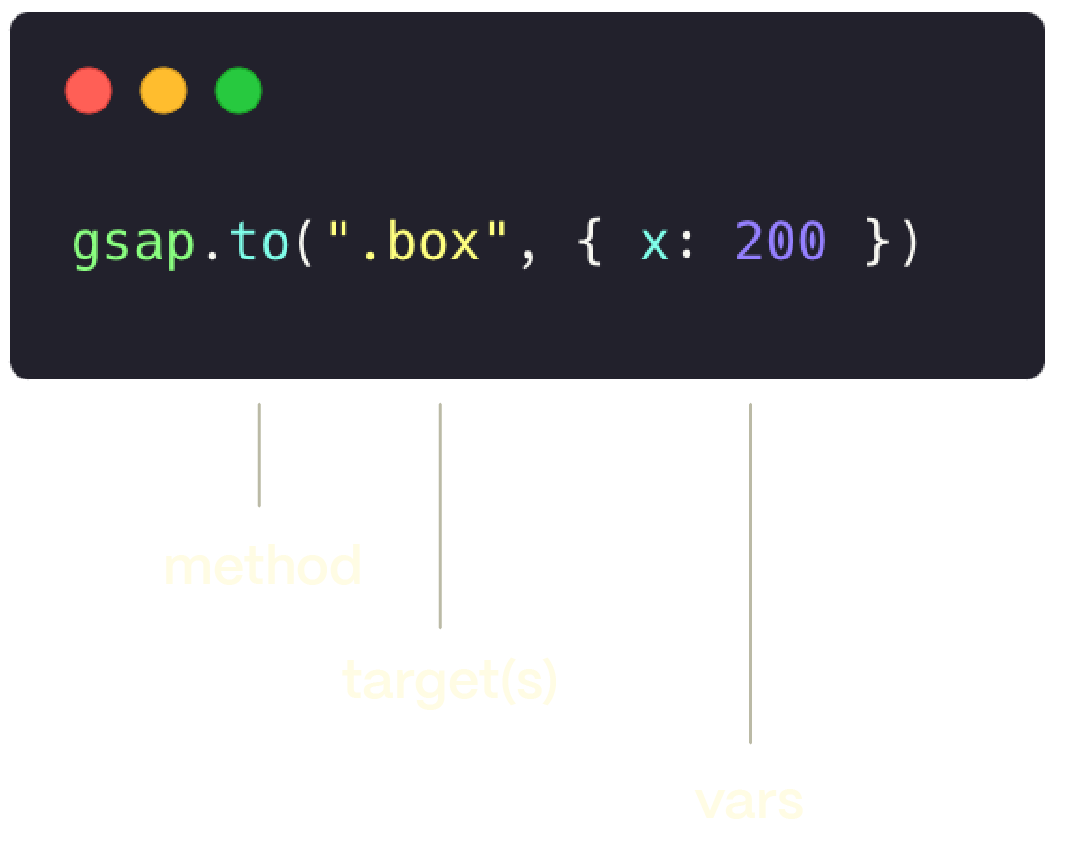
The first parameter we feed the tween is the target (the object whose properties you want to tween), the second is the duration (typically in seconds), and the last is an object with one or more properties that should be tweened to the provided end values. Let’s say, for example, you have an <img> with an id of “photo” and you’d like to tween its “width” property to a value of 100 over the course of 1.5 seconds. You can use TweenLite’s to() method:
var photo = document.getElementById("photo"); //or use jQuery's $("#photo")
TweenLite.to(photo, 1.5, {width:100});
Since this is a to() tween, the “width” property is tweened to 100 from whatever it happens to be at the time the tween begins. If you want to also tween the “height” property to 200 simultaneously, you’d do:
TweenLite.to(photo, 1.5, {width:100, height:200});
There is no limit to the number of properties you can tween. And the order in which they are defined doesn’t matter.
Notice we used document.getElementById() above to get the “photo” element so that we can tween it. Wouldn’t it be nice if you could just pass that string to TweenLite/Max and have it find it for you? Of course. As of version 1.8.0, GSAP treats string targets as selector text and feeds it to the selector engine of your choice. It will look for window.$ and then window.jQuery and if neither is found, it will default to document.getElementById() (in which case it will also strip out any leading “#” in any IDs it receives). Feel free to use any selector you want: jQuery, Zepto, Sizzle, or your own. Set it like this: TweenLite.selector = YOUR_SELECTOR_ENGINE;
If jQuery is loaded (or anything that’s defined as the industry standard window.$), you don’t need to do anything – GSAP will automatically sense (and use) it. But GSAP does NOT have any dependencies on jQuery or any specific selector engine.
//tween the element with ID of "myID"
TweenLite.to("#myID", 2, {backgroundColor:"#ff0000", width:"50%", top:"100px", ease:Power2.easeInOut});
//or if jQuery is loaded, you can do more advanced selecting like all the elements with the class "myClass" like this:
TweenLite.to(".myClass", 2, {boxShadow:"0px 0px 20px red", color:"#FC0"});
Defining the target as a string of selector text is simply a convenience – it’s completely optional. Ultimately the target must be an object anyway, so you can define it as such up front. Pass in a jQuery object or an array or an HTML element or a generic object as the target.
There is a very useful from() method that allows you to essentially go in reverse, defining the starting values and tweening to the current values. This makes it easy to animate things into place. For example:
//animate from 0 to whatever the scaleX/scaleY is now
TweenLite.from(photo, 1.5, {scaleX:0, scaleY:0});
There is also a fromTo() method that allows you to define the starting values and the ending values:
//tweens from width 0 to 100 and height 0 to 200
TweenLite.fromTo(photo, 1.5, {width:0, height:0}, {width:100, height:200});
If you prefer a more object-oriented approach and/or would like to store references to your tweens in variables so that you can control them later (for example, pause(), resume(), reverse(), restart()), you can create a tween like this (which is identical to a to() tween):
var myTween = new TweenLite(photo, 1.5, {width:100, height:200});
By default, all tweens play immediately, but you can pause them initially by passing paused:true in the vars parameter or by calling pause() on the instance.
//pause the tween initially
var myTween = TweenLite.to(photo, 1.5, {width:100, paused:true});
//then later, resume
myTween.resume();
Special properties
A special property is a reserved keyword that TweenLite recognizes and handles differently than it would a normal property. One example is “delay” which allows you to delay a tween’s start time by a certain number of seconds.
//waits 2 seconds before beginning ("delay" is a special property TweenLite recognizes)
TweenLite.to(photo, 1.5, {width:100, delay:2});
TweenLite recognizes several special properties that are quite useful, like onComplete, ease, overwrite, paused, useFrames, immediateRender, onStart, onUpdate, onCompleteParams, and more. Please read the full documentation for details. Two of the most common special properties are “ease” and “onComplete”. We’ll talk about “ease” later, but onComplete gives you a way to call a function when the tween completes (commonly known as a “callback”), making it simple to create a chain of actions.
Here is a tween that delays its start time by 0.5 seconds, and calls myFunction() when it completes:
//notice there's no "()" after the onComplete function because it's just a reference to the function itself (you don't want to call it yet)
TweenLite.to(photo, 1.5, {width:100, delay:0.5, onComplete:myFunction});
function myFunction() {
console.log("tween finished");
}
Easing
An “ease” alters the rate of change during a tween. This essentially gives the movement a different “feel”. There are many to choose from and the best way to understand the various options is to experiment with them. Below is an interactive tool that allows you to select an ease and a duration and then click the “start” button to see the green box animate across the screen with the selected ease.
The default ease in TweenLite is Power1.easeOut (which gives a more natural feel than a linear ease). Here is the syntax for defining the ease for a few tweens:
TweenLite.to(photo, 1, {width:100, ease:Power2.easeOut});
TweenLite.to(photo, 1, {height:200, ease:Elastic.easeOut});
If you prefer, you can define the ease as a string instead, either in the normal format like “Elastic.easeOut” or in the reverse no-dot synax (jQuery-style) like “easeOutElastic”.
TweenLite.to(photo, 1, {width:100, ease:"Elastic.easeOut"});
TweenLite.to(photo, 1, {height:200, ease:"easeOutElastic"});
To get linear motion, just use the Linear.easeNone ease. Frankly, the most useful eases are all the Power eases, Back.easeOut, Elastic.easeOut, SlowMo.ease, Bounce.easeOut and sometimes Linear.easeNone. The rest are more for legacy code and they don’t look much different than one of the Power eases. The Power eases are all baked into the TweenLite core so that they’re accelerated in terms of performance.
Plugins
Think of plugins like special properties that are dynamically added to TweenLite, giving it extra abilities. This keeps the core engine small and efficient, yet allows for virtually unlimited capabilities to be added dynamically. Each plugin is associated with a property name and it takes responsibility for handling that property. For example, the CSSPlugin is associated with the “css” property name so if it loaded, it will intercept the “css” property, and the ScrollToPlugin will intercept the “scrollTo” value, etc.:
//CSSPlugin will intercept the "css" value...
TweenLite.to(photo, 1, {css:{scaleX:0.5, rotation:30}, ease:Power3.easeOut});
//ScrollToPlugin will intercept the "scrollTo" value (if it's loaded)...
TweenLite.to(window, 2, {scrollTo:{y:300}, ease:Bounce.easeOut});
Normally, css-specific properties would need to be wrapped in their own object and passed in like TweenLite.to(element, 1, {css:{left:"100px", top:"50px"}}); so that the engine knows that those properties should be handled by CSSPlugin, but because animating DOM elements in the browser is so common, TweenLite and TweenMax (as of version 1.8.0) automatically check to see if the target is a DOM element and if it is (and you haven’t already defined a “css” object in the vars parameter), the engine creates that css object for you and shifts any properties that aren’t reserved (like onComplete, ease, delay, etc. or plugin keywords like scrollTo, raphael, easel, etc.) into that css object when the tween renders for the first time. There is a slight performance penalty (virtually imperceptible unless you’re tweening a LOT of elements simultaneously), but in most cases the convenience is well worth it. In the code examples below, we’ll use the more concise style that omits the css:{} object but be aware that either style is acceptable.
//as of 1.8.0 the following two lines produce identical results, but the first instantiates slightly faster. The 2nd is more convenient to write, though.
TweenLite.to(element, 1, {css:{top:"20px", backgroundColor:"#FF0000"}, ease:Power2.easeOut});
TweenLite.to(element, 1, {top:"20px", backgroundColor:"#FF0000", ease:Power2.easeOut});
Don’t forget that you need to load the plugin’s JavaScript file to ensure that it works. For convenience, the major plugins like CSSPlugin, RoundPropsPlugin, and BezierPlugin are included inside of the TweenMax JavaScript file.
Tweening CSS properties
With the help of the CSSPlugin, GSAP can animate almost any css-related property of DOM elements including the obvious things like width, height, margins, padding, top, left, and more plus complex properties like transforms (rotation, scaleX, scaleY, skewX, skewY, x, y, rotationX, and rotationY), colors, backgroundPosition, opacity, and lots more. Load the CSSPlugin js file to enable these capabilities.
Note: a common mistake is to forget to use camel case representations of the properties, so instead of “font-size”, you’d use “fontSize”. “background-color” would be “backgroundColor”.
You can even define properties that are not generally tweenable and GSAP will apply the property for you (like position:”absolute” or borderStyle:”solid”). It is typically a good idea to define a unit of measurement (like “24px” instead of “24″ or “50%” rather than “50″) but the default in most cases is pixels (px), so you can omit the unit if you prefer. And even if the unit of measurement doesn’t match the current one, GSAP will attempt to convert them for you. So, for example, you could tween a width from “50%” to “200px”.
CSSPlugin can even animate complex values like boxShadow:"0px 0px 20px 20px red" and borderRadius:"50% 50%" and border:"5px solid rgb(0,255,0)". When necessary, it attempts to figure out if the property needs a vendor prefix and applies it accordingly. There may be a small subset of complex or bleeding-edge css properties that CSSPlugin can’t handle yet, but the vast majority work great.
In addition to almost all of the standard css properties, CSSPlugin recognizes some special ones that can be quite convenient:
- 2D transforms like rotation, scaleX, scaleY, scale, skewX, skewY, x, and y – one of the most convenient things about the CSSPlugin is that it greatly simplifies transforms in the various browsers including IE back through version 6! No need to mess with various browser prefixes and funky matrix filters in IE. You can just set transform properties inuitively.
//much simpler TweenLite.to(element, 2, {rotation:30, scaleX:0.8});By default, rotation, skewX, and skewY use degrees but you can use radians if you prefer. Simply append one of the standard suffixes (“rad” or “deg”) like this:
//use "deg" or "rad" TweenLite.to(element, 2, {rotation:"1.25rad", skewX:"30deg"});To be clear, this is like setting the element’s css
transform:rotate(1.25rad) skewX(30deg)along with all the other browser prefix values and IE filter which would be much more verbose.Notes about 2D transforms:- It is typically best to set the element’s position to “absolute” to avoid clipping (mostly for old versions of IE).
- You can use “scale” as a shortcut to control both the “scaleX” and “scaleY” properties identically.
- The order in which you declare the transform properties makes no difference.
- TweenLite has nothing to do with the rendering quality of the element in the browser. Some browsers seem to render transformed elements beautifully while others don’t handle anti-aliasing as well.
- 3D transforms: in addition to all of the regular 2D properties (x, y, scaleX, scaleY, scale, rotation, skewX, and skewY) that work in almost all browsers, you can animate 3D properties too like rotationX, rotationY, rotationZ (identical to regular “rotation”), z, perspective, and transformPerspective in most modern browsers (see http://caniuse.com/transforms3d for details about browser support for 3D transforms). Again, there is no need to use browser prefixes; CSSPlugin handles all of that for you under the hood. You can animate 3D transform properties and 2D properties (except skew) together inuitively:
TweenLite.to(element, 2, {rotationX:45, scaleX:0.8, z:-300});
See some interactive examples of 3D transforms and other CSS3 property animations like boxShadow, textShadow, borderRadius, and clip in this article. It demonstrates perspective principles too.To get your elements to have a true 3D visual perspective applied, you must either set the “perspective” property of the parent element or set the special “transformPerspective” of the element itself (common values range from around 200 to 1000, the lower the number the stronger the perspective distortion). The “transformPerspective” is like adding a
perspective()directly inside the css “transform” style, like:transform:perspective(500px) rotateX(45deg)which only applies to that specific element whereas if you want to a group of elements share a common perspective (the same vanishing point), you should set the regular “perspective” property on the parent/container of those elements. For more information about perspective, see this article.//apply a perspective to the PARENT element (the container) to make the perspective apply to all child elements (typically best) TweenLite.set(container, {perspective:500}); //or set a default perspective that will be applied to every individual element that you tween in 3D: CSSPlugin.defaultTransformPerspective = 500; //or apply perspective to a single element using "transformPerspective" TweenLite.set(element, {transformPerspective:500});In regular CSS, the order that you list the transforms matters but GSAP always applies them in the same order for consistency: scale, then rotation (same as rotationZ), then rotationY, then rotationX, then translation (x, y, z). If you want to rotate the element around a point in 3D space other than its center, use the
transformOriginproperty (see below).//sample css: .myClass { transform: scale(1.5, 1.5) rotateY(45deg) translate3d(10px, 0px, -200px) } //corresponding GSAP transform (tweened over 2 seconds): TweenLite.to(element, 2, {scale:1.5, rotationY:45, x:10, y:0, z:-200}); //sample css that uses a perspective(): .myClass { transform: perspective(500px) rotate(120deg) translateY(50px) } //corresponding GSAP transform (set, not tweened): TweenLite.set(element, {transformPerspective:500, rotation:120, y:50});Notes about 3D transforms:
- In browsers that don’t support 3D transforms, they’ll be ignored. For example, rotationX may not work, but rotation would. See http://caniuse.com/transforms3d for a chart of which browser versions support 3D transforms.
- All transforms are remembered, so you can tween individual properties without worrying that they’ll be lost. You don’t need to define all of the transform properties on every tween – only the ones you want to animate.
- TweenLite has nothing to do with the rendering quality of the element in the browser. Some browsers seem to render transformed elements beautifully while others don’t handle anti-aliasing as well.
-
To learn more about css 3D transforms, see this article
- transformOrigin – Sets the origin around which all transforms occur. By default, it is in the center of the element ("50% 50%"). You can define the values using the keywords "top", "left", "right", or "bottom" or you can use percentages (bottom right corner would be "100% 100%") or pixels. If, for example, you want an object to spin around its top left corner you can do this:
//spins around the element's top left corner TweenLite.to(element, 2, {rotation:360, transformOrigin:"left top"});The first value in the quotes refers to the x-axis and the second refers to the y-axis (you can optionally add a 3rd value to define a point in 3D space), so to make the object transform around exactly 50px in from its left edge and 20px from its top edge, you could do:
//spins/scales around a point offset from the top left by 50px, 20px TweenLite.to(element, 2, {rotation:270, scale:0.5, transformOrigin:"50px 20px"});
directionalRotation – tweens rotation in a particular direction which can be either clockwise ("_cw"suffix), counter-clockwise ("_ccw"suffix), or in the shortest direction ("_short"suffix) in which case the plugin chooses the direction for you based on the shortest path. For example, if the element’s rotation is currently 170 degrees and you want to tween it to -170 degrees, a normal rotation tween would travel a total of 340 degrees in the counter-clockwise direction, but if you use the “_short” suffix, it would travel 20 degrees in the clockwise direction instead. Example:TweenLite.to(element, 2, {rotation:"-170_short"}); //or even use it on 3D rotations and use relative prefixes: TweenLite.to(element, 2, {rotation:"-170_short", rotationX:"-=30_cw", rotationY:"1.5rad_ccw"});Prior to version 1.9.0, directionalRotation was called shortRotation and it only handled going in the shortest direction. The new directionalRotation functionality is much more flexible and easy to use (just slap a suffix on the regular property). For backwards compatibility, CSSPlugin still recognizes “shortRotation”, but it has been deprecated.
- autoAlpha – the same thing as "opacity" except that when the value hits "0", the "visibility" property will be set to "hidden" in order to improve browser rendering performance and prevent clicks/interactivity on the target. When the value is anything other than 0, "visibility" will be set to "visible". Example:
//fade out and set visibility:hidden TweenLite.to(element, 2, {autoAlpha:0}); //in 2 seconds, fade back in with visibility:visible TweenLite.to(element, 2, {autoAlpha:1, delay:2}); - className – allows you to morph between classes on an element. For example, let’s say myElement has a class of "class1" currently and you want to change to "class2" and animate the differences, you could do this:
TweenLite.to(myElement, 1, {className:"class2"});And if you want to ADD the class to the existing one, you can simply use the “+=” prefix. To remove a class, use the “-=” prefix like this:
TweenLite.to(myElement, 1, {className:"+=class2"});Note: there are a few css-related properties that don’t tween like IE filters, but that is a very rare exception. Also, there is a slight speed penalty when using className because the engine needs to loop through all of the css properties to analyze which ones are different.
- autoRound – By default, CSSPlugin will round pixel values and zIndex to the closest integer during the tween (the inbetween values) because it improves browser performance, but if you’d rather disable that behavior, pass
autoRound:falsein the css object. You can still use the RoundPropsPlugin to manually define properties that you want rounded.
Controlling tweens
Most other animation tools offer very limited controls, but GSAP was built from the ground up to be a professional-grade robust set of animation tools. You can easily pause(), resume() reverse(), restart(), seek(), or even alter the timeScale of any tween. In fact, you can tween the timeScale of another tween to gradually slow it down or speed it up. To control a tween, however, you need an instance to work with. The to(), from(), and fromTo() methods all return an instance, so you can dump it into a variable as easily as:
//using the static to() method...
var tween = TweenLite.to(element, 1, {width:"50%"});
//or use the object-oriented syntax...
var tween = new TweenLite(element, 1, {width:"50%"});
Then, you can call any of its methods:
//pause tween.pause(); //resume (honors direction - reversed or not) tween.resume(); //reverse (always goes back towards the beginning) tween.reverse(); //jump to exactly 0.5 seconds into the tween tween.seek(0.5); //make the tween go half-speed tween.timeScale(0.5); //make the tween go double-speed tween.timeScale(2); //immediately kill the tween and make it eligible for garbage collection tween.kill();
You can also kill ALL of the tweens of a particular element/target like this:
TweenLite.killTweensOf(myElement);
See the full documentation for details about all of the properties and methods available.
Sequencing and grouping tweens with TimelineLite
Unlike most other JS animation tools, sequencing in GSAP is much more flexible than building a queue of tweens that run one-after-the-other. You have complete control over the relative timing of each tween – they can overlap as much as you want. And you can control entire sequences as a whole, reverse smoothly anytime, jump to any point, adjust the timeScale, etc. and everything renders in the proper order.
Watch this video for a visual demo showing how TimelineLite can save you a lot of time.
Of course you could sequence tweens by using the “delay” special property on all your tweens, but that can get complicated when you build a long sequence and then later want to change the timing of something early in the sequence (you’d have to adjust all the delay values in tweens after that). Plus it would be a pain to control the whole sequence, like to pause() or resume() or reverse() the group on-the-fly. Sequencing is much easier with TimelineLite and its big brother, TimelineMax.
Let’s jump into some sample code:
//create a TimelineLite instance
var tl = new TimelineLite();
//append a to() tween
tl.to(element, 1, {width:"50%"});
//add another sequenced tween (by default, tweens are added to the end of the timeline which makes sequencing simple)
tl.to(element, 1, {height:"300px", ease:Elastic.easeOut});
//offset the next tween by 0.75 seconds so there's a gap between the end of the previous tween and this new one
tl.to(element, 1, {opacity:0.5}, "+=0.75");
//overlap the next tween with the previous one by 0.5 seconds (notice the negative offset at the end)
tl.to(element, 1, {backgroundColor:"#FF0000"}, "-=0.5");
//animate 3 elements (e1, e2, and e3) to a rotation of 60 degrees, and stagger their start times by 0.2 seconds
tl.staggerTo([e1, e2, e3], 1, {rotation:60}, 0.2);
//then call myFunction()
tl.call(myFunction);
//now we can control the entire sequence with the standard methods like these:
tl.pause();
tl.resume();
tl.restart();
tl.reverse();
tl.play();
//jump to exactly 2.5 seconds into the animation
tl.seek(2.5);
//slow down playback to 10% of the normal speed
tl.timeScale(0.1);
//add a label named "myLabel" at exactly 3 seconds:
tl.add("myLabel", 3);
//add a tween that starts at "myLabel"
tl.add( TweenLite.to(element, 1, {scale:0.5}), "myLabel");
//jump to "myLabel" and play from there:
tl.play("myLabel");
Think of a timeline (as in a TimelineLite or TimelineMax instance) like a collection of tweens that are positioned at specific places on that timeline. It controls their playback. Timelines can be nested inside other timelines as deeply as you want. This is a very powerful concept because it allows you to control entire sequences in a modular way. Imagine 100 characters individually animating into place in a staggered fashion (100 tweens). They could all be grouped into a TimelineLite instance and then controled as a whole (using common methods like pause(), resume(), reverse(), restart(), etc.). In fact, you could create functions that return animations wrapped in a TimelineLite so that you can easily build a larger, more complex animation in a modular way.
A central concept to grasp is that every tween is inserted into a timeline. By default, it’s the root timeline inside the engine. When a timeline is playing, its virtual playhead advances. If you reverse() a timeline, the playhead travels in the opposite direction back towards its beginning. As the timeline’s playhead encounters tweens, it plays them accordingly. For example, if the playhead is positioned halfway through a tween, that tween will render as though it is 50% finished. If the timeline’s timeScale is set to 0.5, that would cause the playhead to travel at half speed. Consequently, any tweens it encounters would also appear to progress at half speed. Once you get the hang of how timelines work, they can revolutionize your animation workflow.
Just like tweens, timelines play immediately by default but you can pause them initially using pause() or by setting paused:true in the vars parameter of the constructor.
There are quite a few methods available in the timeline classes that give you precise control, and we’d encourage you to look through the full documentation to see what’s available. If you can think of something you’d like to do, chances are there’s a way to do it.
Stepping up to TweenMax and TimelineMax
Tight file size, outstanding performance, and a relatively robust feature set were all priorities in TweenLite and TimelineLite but there were some extra features that we wanted to add without bloating the core components. Enter TweenMax and TimelineMax. TweenMax extends TweenLite, doing EVERYTHING it does plus extras like repeat, yoyo, repeatDelay, and more. TimelineMax does the same for TimelineLite. Plus when you load the TweenMax JavaScript file, it also includes a bunch of extras automatically like CSSPlugin, RoundPropsPlugin, BezierPlugin, AttrPlugin, DirectionalRotationPlugin, TimelineLite, TimelineMax, and EasePack. Basically, if file size is a major concern for you, stick with TweenLite and manually load whichever plugins or eases you need. Otherwise, use TweenMax because it delivers the ultimate feature set with minimal hassle.
TweenMax uses exactly the same syntax as TweenLite. In fact, a TweenMax instance is a TweenLite instance. If you have a project that already uses TweenLite you could literally do a search and replace for all “TweenLite” instances with “TweenMax” and it would work great. TweenMax just recognizes some extra special properties, for example:
//repeat this tween 3 times (for a total of 4 cycles) and wait 0.5 seconds between each repeat
TweenMax.to(element, 1, {width:"50%", repeat:3, repeatDelay:0.5});
//fade the opacity up and down infinitely (a repeat of -1 means infinitely)
TweenMax.to(element, 1, {opacity:0, repeat:-1, yoyo:true});
TimelineMax also offers repeat, yoyo, and repeatDelay as well as convenient methods like tweenTo(), currentLabel(), getLabelBefore() and getLabelAfter() and more.
var tl = new TimelineMax({repeat:3, yoyo:true, repeatDelay:1, onComplete:timelineDone, onCompleteParams:["test1", "test2"]});
tl.staggerTo([e1, e2, e3], 1, {opacity:0, rotation:360}, 0.2);
function timelineDone(p1, p2) {
console.log("timeline done. params: " + p1 + " and " + p2);
}
Overwriting other tweens
An often overlooked aspect of tweening is how (and if and when) tweens overwrite other tweens of the same object. For example, let’s say you have a button with onmouseover and onmouseout handlers that tween its opacity higher on the “over” event and lower on “out” event. To further complicate things, let’s say the “over” tween lasts 2 seconds and the “out” tween lasts 1 second. What should happen if the user rolls over/out/over/out quickly? See the problem? If tweens are allowed to run without any kind of overwriting, they’ll build up and fight with each other (one trying to tween the opacity higher, and the other lower). In this example, when the user rolls over, a 2-second tween would start increasing the opacity to 1, but if the user rolled off 0.2 seconds later, another tween would begin, causing the opacity to decrease. When that tween finishes 1 second later, the “over” tween is still going (since it had a duration of 2 seconds), so the opacity would suddenly jump up and finish off at a value of 1 even though the user rolled out!
Don’t worry. We’ve got you covered.
By default, whenever a TweenLite instance renders for the first time (after any delay), it analyzes all other active tweens of the same target and checks for individual overlapping properties. If it finds any, it kills the offending overlaps (again, only the individual properties). This overwrite mode is called "auto" and it is typically the most intuitive. However, there may be times when you want the new tween to kill all other tweens of the same object regardless of their start times or overlapping properties. That is what the "all" overwrite mode is for. And to skip overwriting altogether, you can define an overwrite mode of "none". There are several other modes to choose from too, so check out the full docs for details. You define an overwrite mode with the “overwrite” special property like this:
//overwrites all tweens of myElement immediately
TweenLite.to(myElement, 1, {width:"50%", overwrite:"all"});
//doesn't overwrite anything (allows conflicts)
TweenLite.to(myElement, 1, {width:"50%", overwrite:"none"});
//overwrites only individual overlapping properties on concurrent tweens of myElement (this is the default, so you typically don't need to specify any overwrite in this scenario)
TweenLite.to(myElement, 1, {width:"50%", overwrite:"auto"});
//set the default overwrite mode to "all" instead of "auto"
TweenLite.defaultOverwrite = "all";
Of course you can manually kill all the tweens of a particular object using the TweenLite.killTweensOf() method, but the nice thing about defining overwrite modes is that the overwriting doesn’t kick in until it’s necessary (when the tween renders for the first time) which is essential when working with complex sequences.
FAQ (click to view answer)
Stay up to date
We’d highly recommend checking back frequently and getting updated JavaScript files because we’re actively adding features, patching bugs, implementing workarounds for new browser inconsistencies, etc. Sign up for a free GreenSock account so that you’re on our mailing list and get important notifications. Don’t forget to follow us on Twitter as @greensock and Facebook.
Need help?
There are dedicated forums for all GreenSock tools at http://forums.greensock.com/. Keep in mind that you’ll increase your chances of getting a prompt answer if you provide a brief explanation and include a simplified HTML file (and any dependencies) that clearly demonstrates the problem with as little code as possible.
Comments (63)

I can’t wait to use this. If it’s anything like the AS version, it should be a game changer. Any plans to make this available via public CDN?
Tony, a CDN is certainly a good idea and one that we intend to explore. I don’t have a solid answer for you yet on that one. If you (or anyone) has specific recommendations on how to get legs under that, please chime in.
[...] Getting Started with the JavaScript Version of the GreenSock Animation Platform [...]
Completely agree with @TONY. Amazing Great work good sir.
Blazing fast, great work!!
All I can say is WOW! I will definitely give it a try. Keep up the good work Jack, you are from a different world!
I have been using GSAP for AS3 since 2009 and I have to say is simply the best library for animations I have used ever. Looking forward to try the JavaScript version.
Great work!
Many, many thanks!!
Are there any demos/samples/tutorials?
Ah…So excited about the JS framework, this is going to remind me of Flash animation (in a good way!). Great job, guys: I can’t wait to start playing with this!
Just renewed my membership and upgraded to Shockingly Green… not because I needed any of the bonuses, but just to show my appreciation. I’m sure you’re sick of the accolades (or maybe you’re not), but honest to God, you made Flash programming so much more enjoyable… and now this! I can’t believe I’m using TweenMax.to in my jQuery projects!!! You sir, are a friggin’ God!
Absolutely, LD, there are several examples in the zip download to get you going plus there’s a full “getting started” guide at http://www.greensock.com/get-started-js/. Is that what you were looking for? There will be more in the future. Carl has a habit of posting very helpful videos and tutorials about GreenSock tools over at http://www.snorkl.tv too.
I’ve sworn off Flash, but Greensock made it so easy to do amazing animations. Now it’s like having an old friend back. I can’t wait to start playing! I’ll be renewing my membership as well. Thanks for bringing my old secret weapon into my new arsenal. Thanks, Carl!
you are a gifted saint
Definitely excited about this one! Great news indeed!
Been using Greensock on AS2/3 back in the days and have left the Flash platform a while ago. Great to see this Engine back in game! (Sorry Flash, we had good times
)
As for CDN, you should definitely take a look at cdnjs.com, which is powered by cloudflare.
Sweet Jesus yes!! Thanks so much for all your hard work!
Like many here, I do very little work in flash these days (though I still think its a great platform) – at one time I made heavy use of the GS platform to breathe some life into my work. I’m really really happy to see this same killer library incorporated into my workflow again. Can’t wait to get started!!! Jack – you rock.
Wholly $#*+!!! This is bonkers!!! “It’s a nick nack paddy whack out of the ball park Jim!” This will give actionscript styled animations in our html projects. Quite the game changer I must say!
Jack, you have done it again! I have been waiting for a JS port, but having had so much functionality in v11 for AS2 / AS3 I wasn’t sure if it was possible! Thank you!
Tyler
Thanks for this great work, i’ll spread the word… !
…This is definitely a game changer, especially for a lot of AS guys who are transitioning to JS/CC.
Thanks Jack!
Whoa!!!!!!!!!!!
I’m already druling about all the things that can be done with this, imagine move css objects around anywhere in the page with all the cool things that the AS is able to do, and that is just one thing, and integrating it with other JS gadgets and functions, aw men the possibilities are like infinite.
THANK YOU!!!!
Perfectly!!!!!!!!!!! Thank you. Its new step in js gamedev.
Hi Jack, don’t you think it would be a good idea to integrate a plugin for advance selectors in the js version?
Instead of doing (or looping):
var photo1 = document.getElementById(“photo1″);
var photo2 = document.getElementById(“photo2″);
…
you could select:
var photos = …(“#photoContainer img”);
…
I know I could just use jQuery but why use such a framework when you just want to animate.
Fidel, while it may seem like a good idea on the surface to have GreenSock have its own selector, I really don’t think it’s necessary and it could make things more convoluted. There are scores of selectors to choose from (jQuery being the most popular, but there are smaller ones like sizzle, zepto, etc.) and I don’t see a huge need for innovation on that front. In the animation space, the need was very clear, but not so with selectors. No need to reinvent the wheel (from what I can see right now at least).
I’m considering integrating a simple document.getElementById() lookup if you pass a string as the target of the tween – what do you think of that idea? It does impose a slight speed penalty but it would be pretty convenient for just snagging things by id.
[...] out the JavaScript guide and get [...]
HOLLY JESUS !
SWEET HOLLY *@!# !
HO MY LORD !
I just passed 3 hours at work tryin it.. instead of workin… -_-
nice! anyone know if there’s a DistortImage to JS, like the one i Sandy3d for flash. for free image transform?
I’m not aware of any, Martin, no.
@Martin Have you checked out three.js? It is capable of drawing your seen to HTML 5′s canvas, WebGL or SVG.
Demo: http://lab.aerotwist.com/webgl/surface/
Site: http://www.aerotwist.com/tutorials/getting-started-with-three-js/
Do you know if you are able to Tween specific margins, such as margin-top, margin-left. etc. ?
Thanks
Great Works.
Many Many Thanks.
Absolutely, Shaun, you can tween any individual margin. Just use the camelCase syntax like everything else:
TweenLite.to(element, 1, {css:{marginTop:”20px”, marginLeft:”100px”}});
awesome!
Once again… Thank you. I never could pay you enough!
Cheers.
Why this didn’t come out a long time ago I don’t know but this is the mutts nuts, well done!
I have tested it in IE7 of course and it’s not worth the awesomeness of Greensock so if there is an impolite way of excluding IE from this awesomeness, let it be known. I suppose and conditional JS file would do the trick?
[...] that is just the tip of the proverbial iceberg! You can do so much more with the TweenMax and TweenMin if you take a little bit of time to learn t…. This entry was posted in Uncategorized by James. Bookmark the [...]
Goody gumdrops ! Can’t wait to try this on my mobile apps. I’ve used your AS libraries in the past so can’t wait to give the JS version a whirl. Thanks !!
[...] My first experiment with WebGL, using Three.js and Tweenlite. [...]
[...] Getting started with TweenMax [...]
there is a {delay:1} like in as3?
Absolutely, the API is virtually identical to the ActionScript version and that includes the “delay” special property. Just remember not to put it inside the css:{} object.
TweenLite.to(element, 2, {css:{left:100}, delay:1});
Happy tweening!
thanks bro, you are awesome. Good job and still being fantastic like you are.
Is the syntax on this page out of date?
It says:
TweenLite.to(photo, 1.5, {width:100, height:200});
When it should be:
TweenLite.to(photo, 1.5, {css:{width:100, height:200}});
Nope, that’s not outdated – it’s perfectly valid for elements because they have native width and height properties that can be tweened. We were trying to make the point that TweenLite can tween ANY numeric property of ANY object. However, we tried to point out quickly thereafter that almost all other properties of HTML elements should be tweened via the CSSPlugin. Sorry if that wasn’t clear enough. A lot of people are wanting to tween non-DOM stuff these days like objects inside a canvas and those wouldn’t need the CSSPlugin.
I am very impressed with your work! I am interested in your js library and tool-set. I will go through your tutorials to get a feel for your product.
Just awesome!
Thanks a lot for all of libs.
[...] Getting Started with GSAP JS [...]
I can’t believe how simple you made this quantum mechanics equation sound. This is the most complicated how-to I’ve ever come across. I have the jquery link in my , placed the js file in my directory, provided a link the js file it in my html file, after that, it’s quantum entanglement. A video tutorial would help a lot.
George, have you checked out the Jump Start? I think you’ll find it much easier and faster to get up to speed. In many ways it’s even better than a video because it lets you move at your own pace and play and experiment with various selections, look at the code, etc. http://www.greensock.com/jump-start-js/
Lee Brimelow did a nice little video, and there are several other good resources all linked to from the main GSAP JS page at http://www.greensock.com/gsap-js/
I realize this “Getting Started” guide can be a little overwhelming which is why we did the Jump Start. The reality is that a lot of people are hungry for detailed information and we want to provide that while at the same time not forcing everyone to read lengthy articles if they just want the basics. In fact, this article doesn’t even scratch the surface of all the advanced features in the platform. Carl is working on the 500-page “advanced” book now (just kidding).
Dose the GreenSock Animation Platform (GSAP) has any tools like Adobe Edge Animate?
GSAP works with Adobe Edge Animate, yes, but it is not intended to do the same thing. Adobe Edge Animate is an IDE whereas GSAP is a high-performance scripted animation platform. You can build assets visually in EA and then control them using GSAP. Chris Gannon has lots of examples at http://chrisgannon.wordpress.com/
Is it possible to integrate GSAP into win8 apps?
I don’t see why not, Sven. We haven’t done it ourselves, but from what we’ve heard Win8 apps are very JavaScript-friendly. GSAP should work great. Let us know if you discover otherwise.
Hello Sven – yes it’s definitely possible to use Greensock in your Win8 apps, I have 2 apps in the store right now that both use Greensock.
Guys, your work is really, really, really impressive.
I used your class in Flash since one year, I won hours of code thanks to you.
This week I started a new Html/JS project and I decided to try your GSAP class. It’s just perfect ! Exactly the same syntax as in Flash… really intuitive… really easy… really cool ! I will definitely forget about jQuery for stuff related to animation and Css transitions.
To every Flash/Html/JS/Css developer, don’t hesitate, try Greensock class right now
Thanks a lot !
Hi All
Quite new to mobile design but have been experimenting on my HTC Android – dunno if its maybe something Im doing wrong, or if anyone else has had similar performance issues on mobile, but neither Edge Animate nor GSAP work very well – animations are terribly jerky and slow – have also tried using HTML Canvas exported from Flash with EaselJS plugin and much much better performance
Id so love Greensock to work well on mobile as Ive used the AS3 version for Flash a lot in the past, but so far Im not having much joy. Can anyone shed any light or offer any tips?
Kind regards
Steve
Hey Steve. GSAP vs. DOM is actually a false dichotomy. They work great together. It sounds like the issue you’re running into has nothing to do with the animation engine, but rather the graphics rendering speed of the browser itself and differences between canvas and DOM rendering. GSAP might set an element’s styles/properties in 1 millisecond, but it could take the browser 100 milliseconds (or more) to actually render it there graphically.
It’s much easier for canvas to render certain types of things (huge images or lots of little layered assets) and yet it can be much slower for other types of things. It is definitely not universally faster – it’s very device-dependent and browser-specific. For example, in older browsers canvas was horribly slow compared to straight-up DOM element animation, but in recent years browsers have focused a lot on improving it. You might find that canvas is much faster on Android but much slower than DOM element animation in iOS or a specific browser.
GSAP itself is highly optimized, and you can see how it compares to other animation frameworks (including EaselJS’s TweenJS which you mentioned) here: http://www.greensock.com/js/speed.html.
You can use GSAP to animate pretty much ANYTHING including canvas-based stuff. In fact, we’ve got an EaselPlugin that allows you to animate special properties in EaselJS that EaselJS’s own animation engine doesn’t offer. I’m pretty sure GSAP is faster too.
So again, GSAP vs. canvas is a false dichotomy. It should be canvas vs. DOM. Or you could compare GSAP and TweenJS. My understanding is that Edge Animate uses DOM rather than canvas.
If you noticed that canvas is working much better for you, my advice would be to use canvas with GSAP if you want the best speed.
I hope that helps.
Just Awesome! I’ve used the AS version extensively for the past 6 years and really look forward to implementing this in a project.
I believe I found my absolute favorite of the year
How do more people not use this!? Been using jQuery animate and CSS3 transitions up until now but this is just WAY better! Looking forward to using it on all future projects!
AMAZING !
Hello Greensock team, love you so much. I want to make image onMouseOver event became black and white. As far as I understand I can not use colorMatrixFilter as in actionscript. Does your library have an alternative like сss filters or something like this?
And thank you so much for your lib. You are an extremely progressive team.
inozemcev, the browser vendors haven’t decided on a common way to apply filters like that (for saturation, brightness, contrast, etc.) but you can use a canvas library for that kind of thing, like EaselJS (http://createjs.com/#!/EaselJS). You’ll definitely want to use our EaselPlugin for animating it because I don’t think you can do it directly with EaselJS’s own tool set (at least not easily last time I checked). As long as you’ve loaded TweenLite and our EaselPlugin (plus the necessary EaselJS stuff of course), you can do this:
TweenLite.to(yourEaselObject, 1, {easel:{saturation:0}});
It can also affect “contrast”, “brightness”, “exposure”, and more. See the docs for more info.


Download zip